Instruction
Getting ready
-
Go to all-hw.com and open the Boards page. Choose the board you need and book it.
-
Visit the Connection and Tools page and click the “Download Demo Project” link to download the archive with project.
-
Open the downloaded and extracted project in the IAR IDE and build it.
Setup connection
To work with the board, you need to configure your IDE:
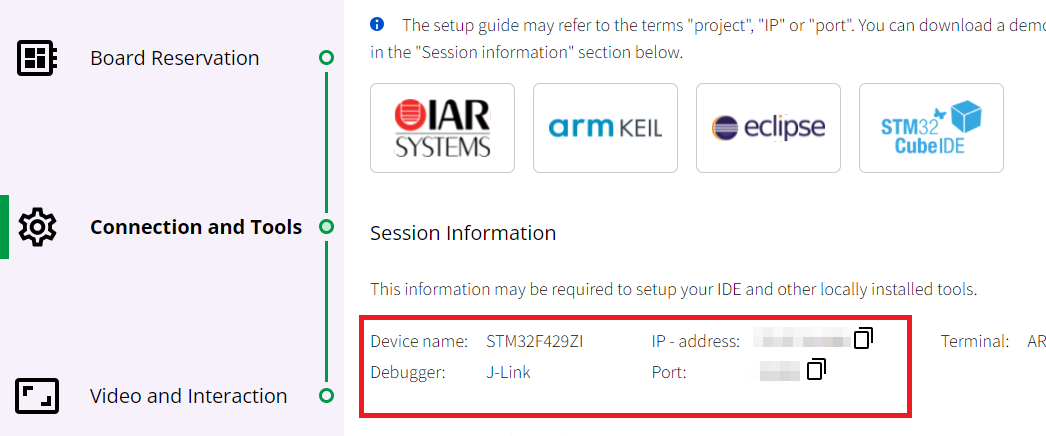
- Get the target information from the Connection and Tools page: ip-address and port:
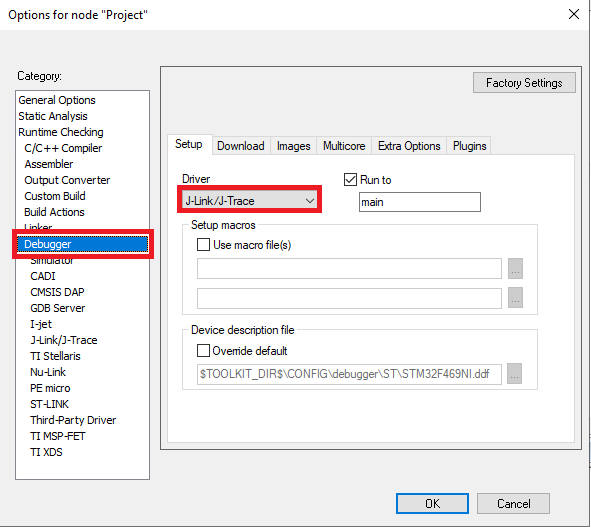
- In the IAR IDE, open the options window and select the “J-Link/J-Trace” driver in the “Debugger” category.
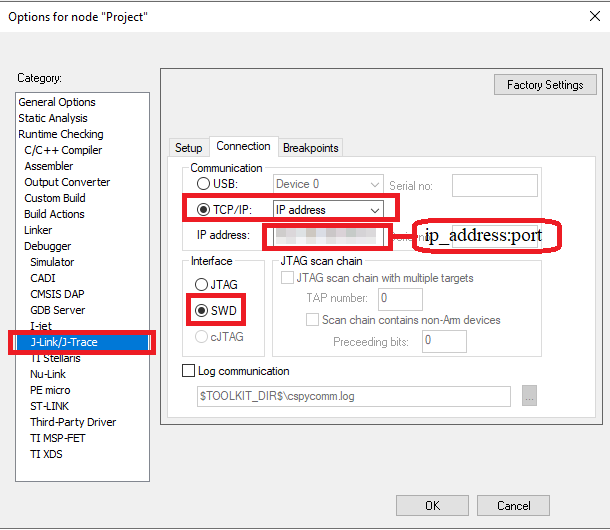
- Select the “J-Link/J-Trace” category then go to the “Connection” tab*. S* elect “TCP/IP” as the communication type and select “IP-address” from the drop-down list. In the "IP-address " field specify the IP-address and debugger port for the current session as follows: :. Make sure “SWD” interface is selected*.*
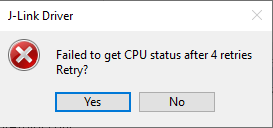
- Well done! Let’s try the remote debug session: you can add breakpoints, watch expression etc.
The duration of the session may be limited by the board owner. For example, the owner may choose to set a maximum of one hour per session. When the session ends, the info message will appear.
You can also observe the booked board and interact with its UART on the Video and Interaction page:
